

The software is ours. That's why you can touch everything.
Slicing, parameterization, and process control in a single program, developed in-house along with the machine. It's not a module bought from a third party and integrated haphazardly.
This has a practical consequence that precedes any list of functions: the parameterization is open. You can adjust each variable of the process and save it as your own material parameter set.
This is what it looks like.
Screenshots from SamyStudio itself: these are not models or renders from a presentation.
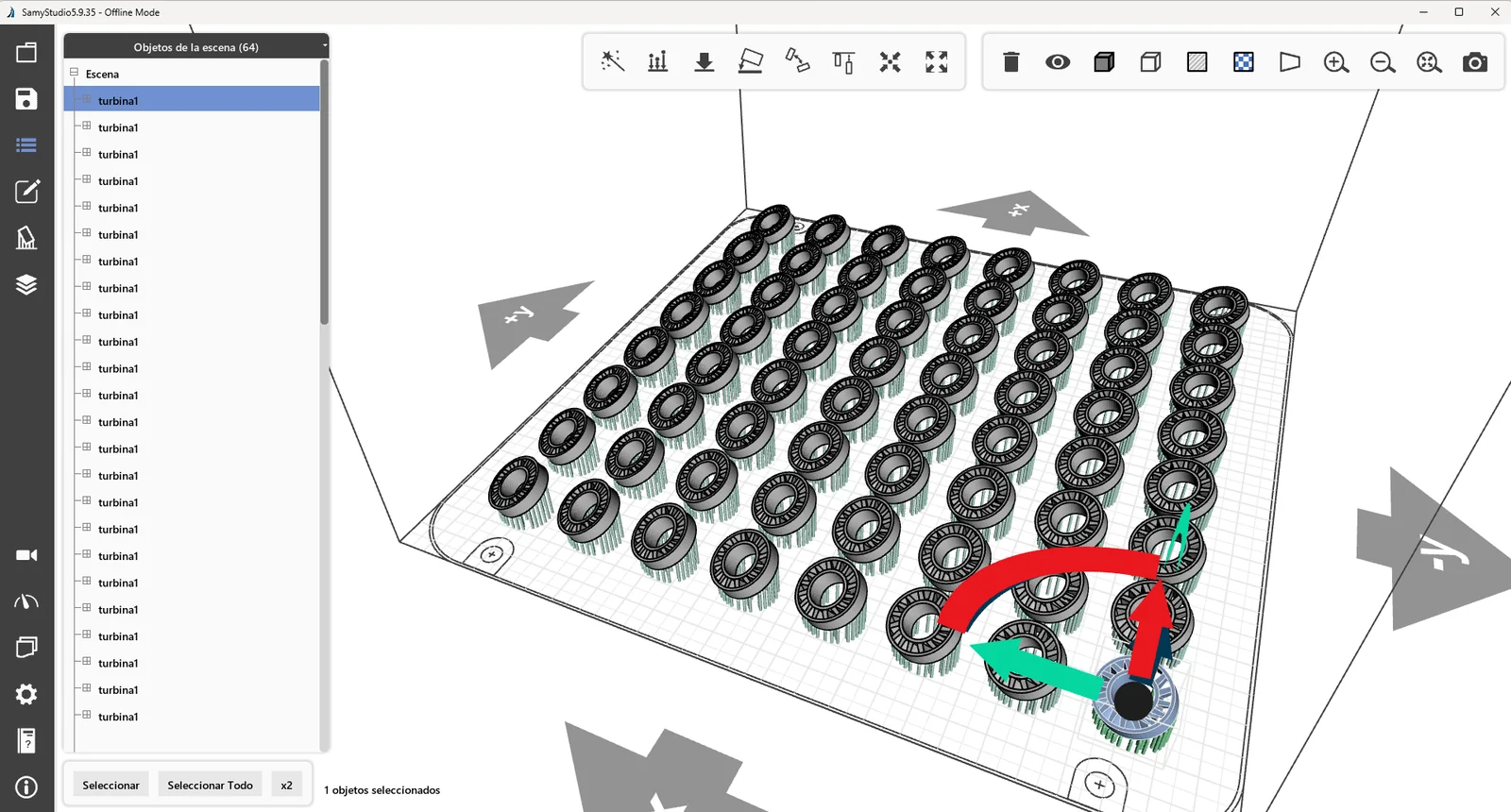
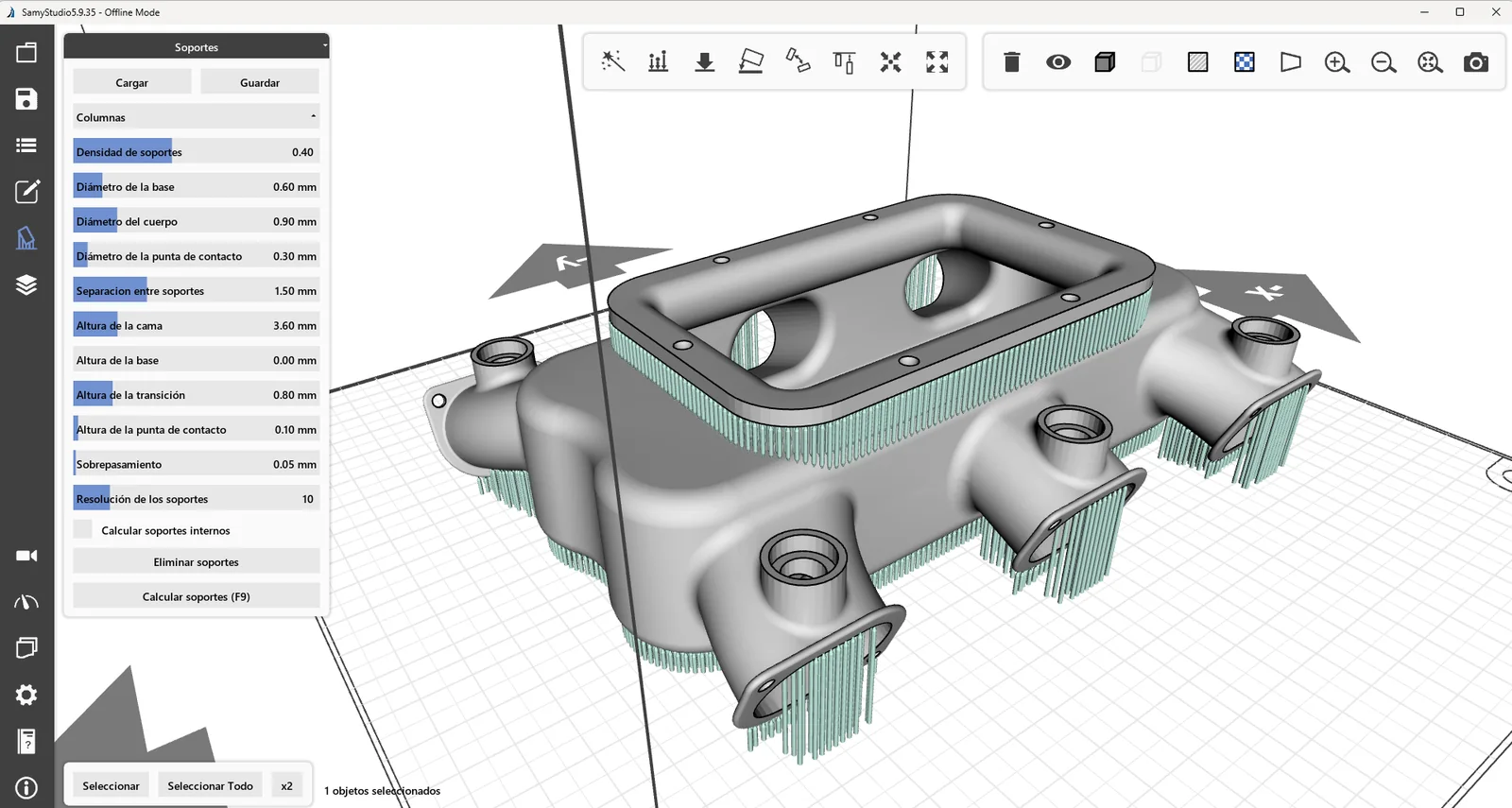
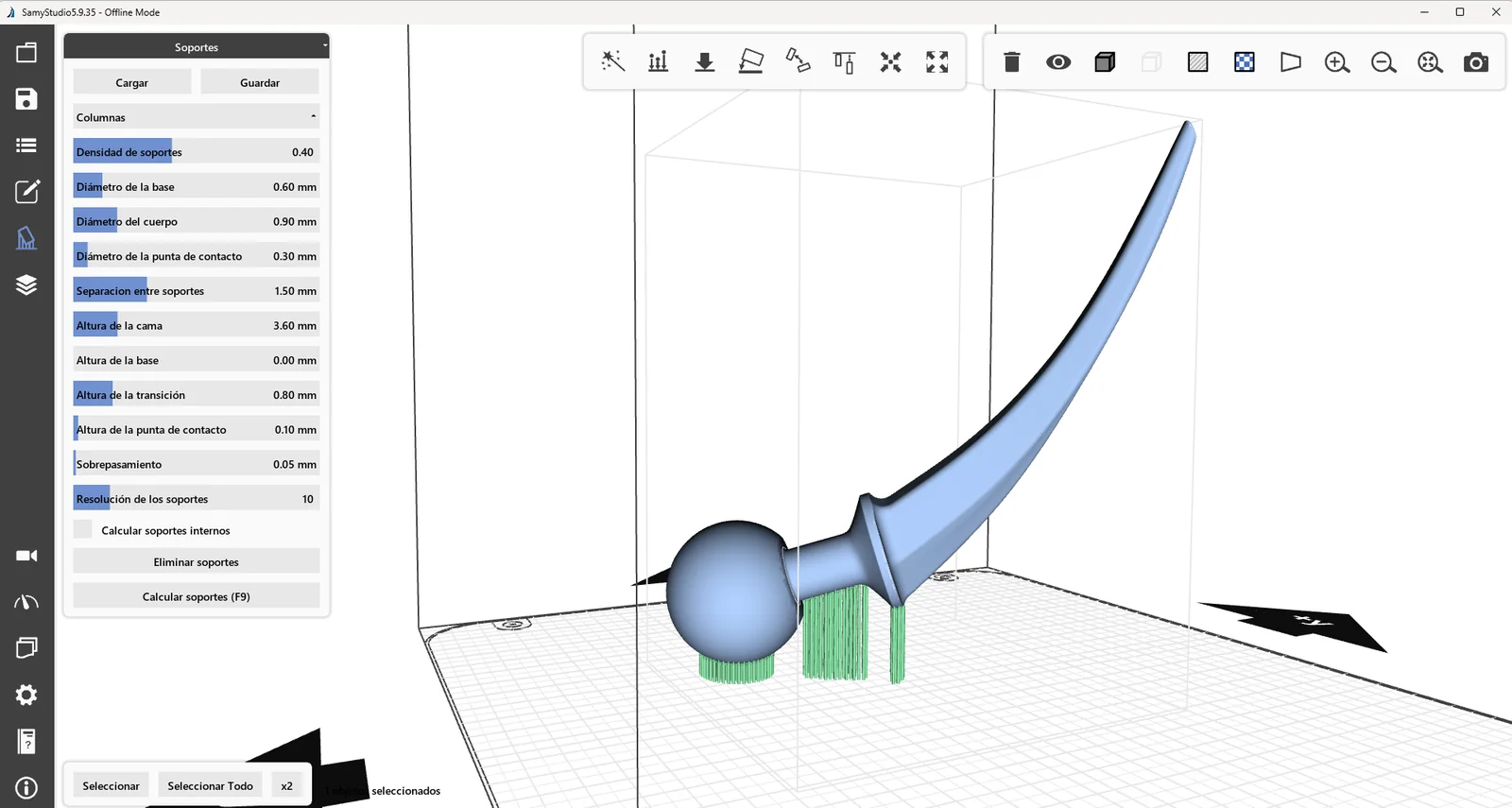
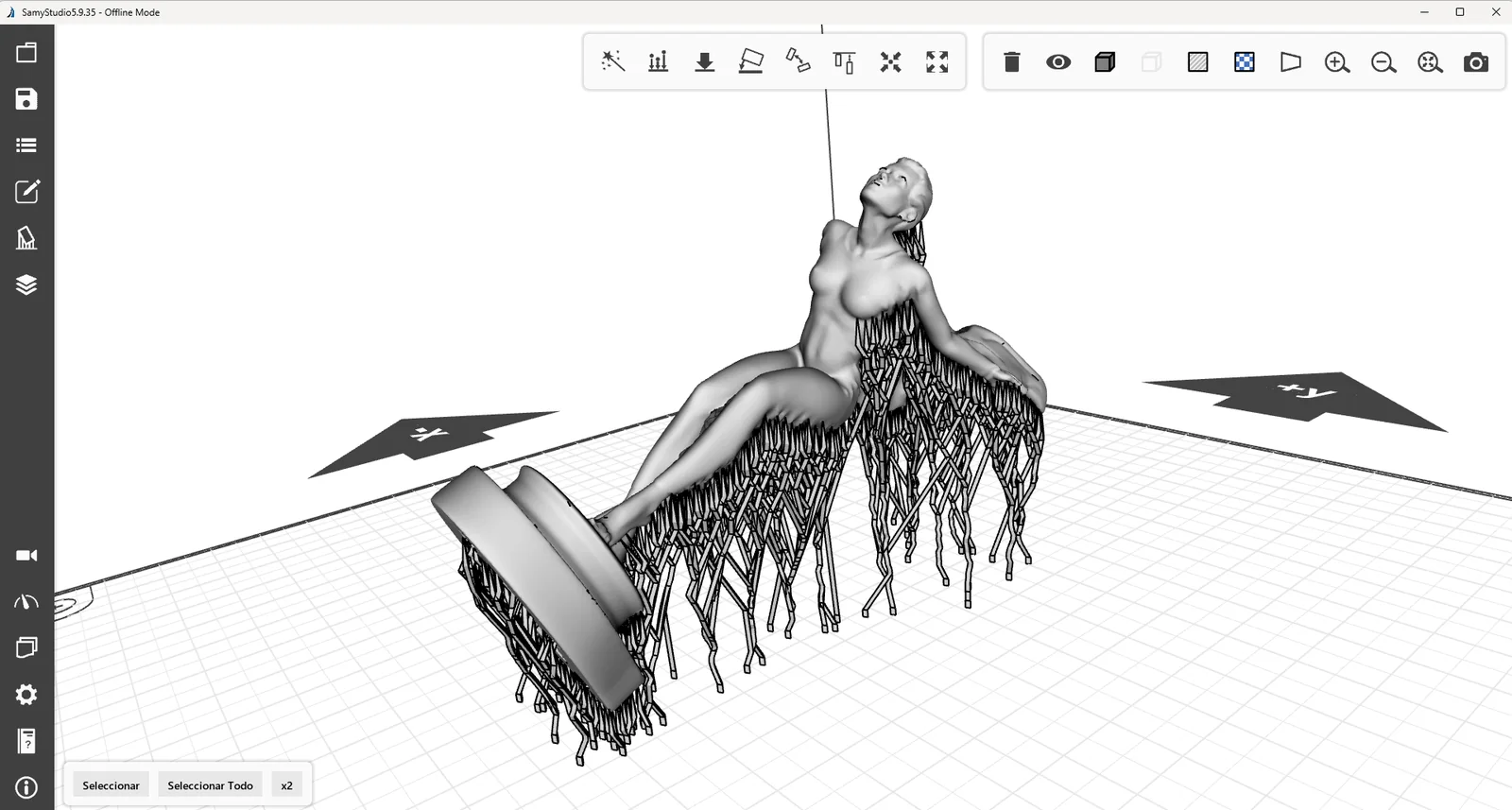
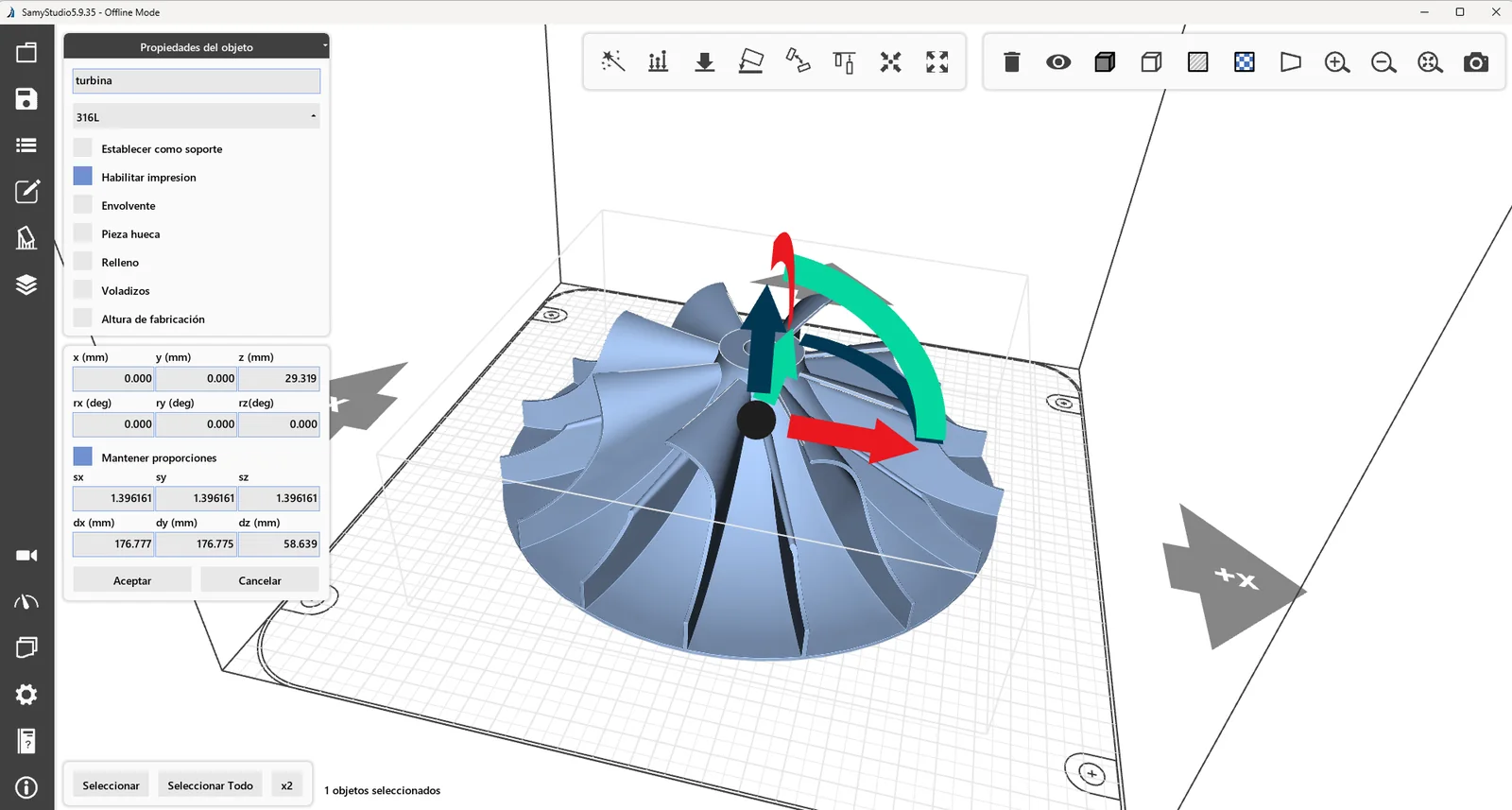
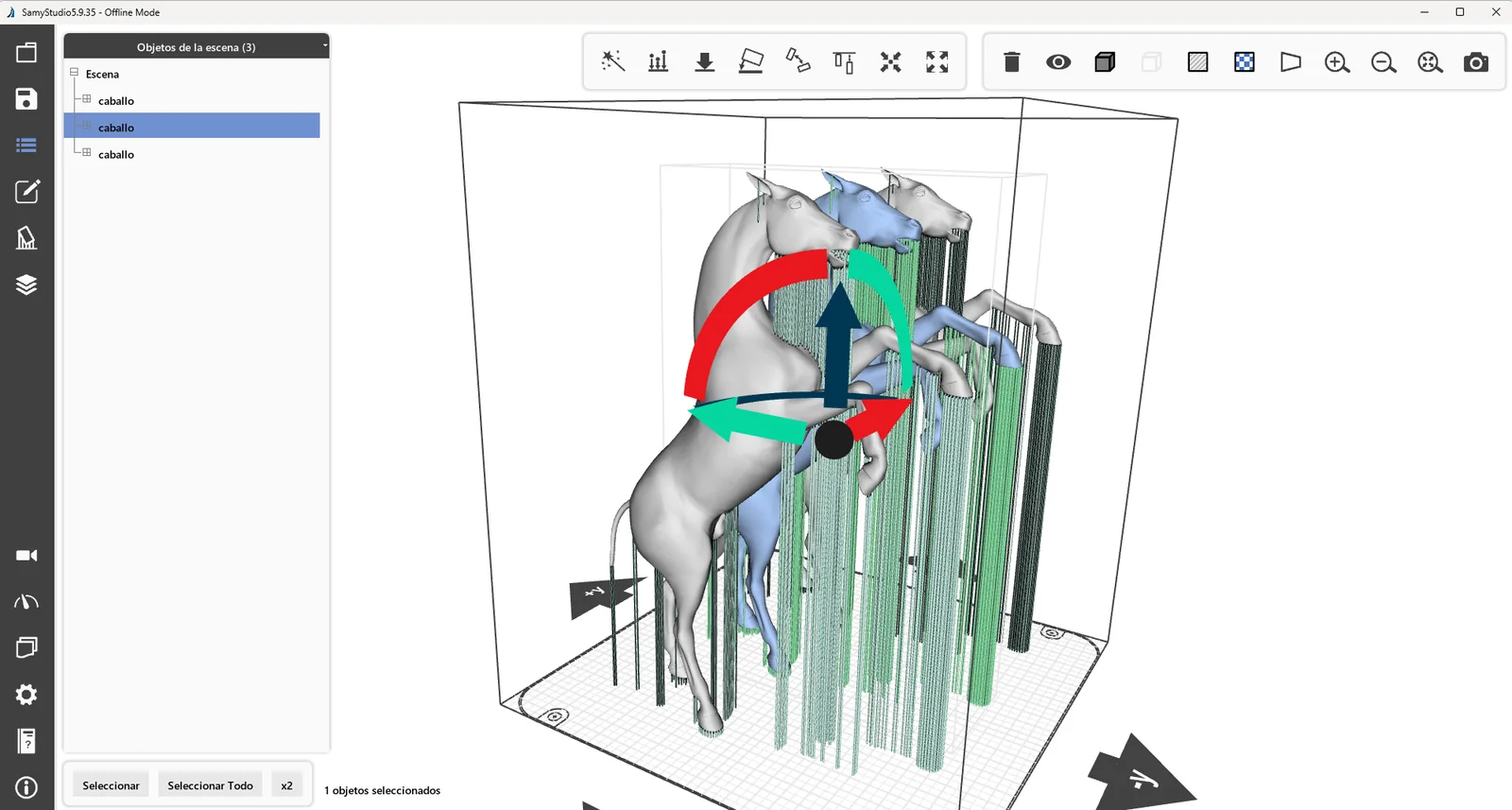
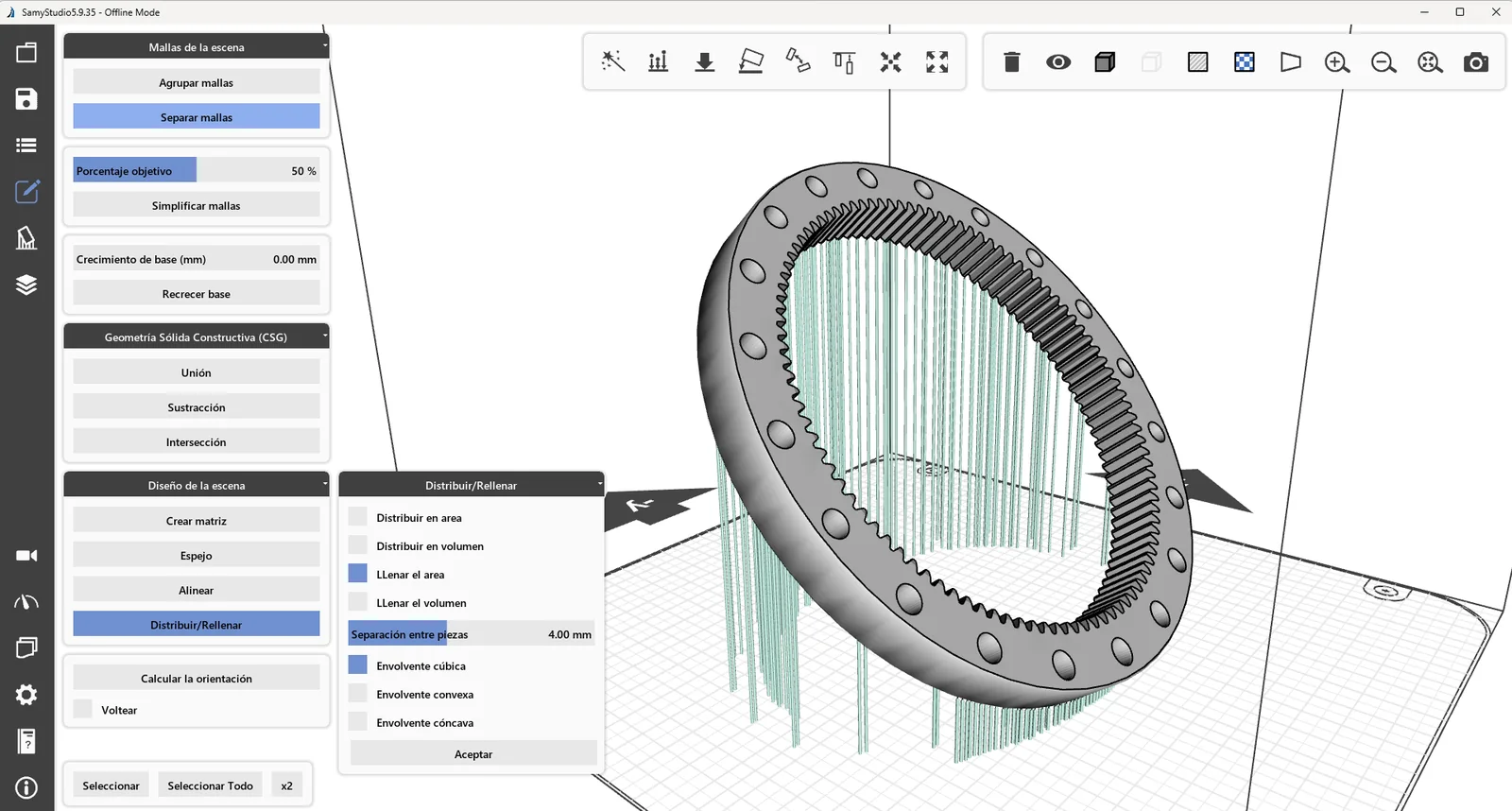
A build plate with 42 parts, from start to finish.
No cuts: load the part, generate the supports, distribute it across the build plate, slice, and simulate how long it will take.
- Fill the build plateOne part becomes 42 with "distribute in area" and a 7 mm gap between parts. There's no need to place them manually one by one.
- Supports by number, not by eye.Density, base diameter, body diameter, contact point and separation are fixed with figures, recalculated and saved.
- Slice and checkFixed or variable layer thickness, and collision checking on all 42 parts before sending anything to the machine.
- Time, before printingThe simulation runs through the entire build process and estimates the time it will take. That time is what feeds our quoting tool: the estimate isn't based on a price list, it's based on your part.
Forty test specimens to approve a material.
The other half of the job: replicating a test specimen in a matrix, slicing it, and seeing layer by layer where the laser will pass.
- One test specimen, forty test specimensThe matrix function replicates the part with the specified spacing. This is how a material is qualified before manufacturing with it.
- Layer by layer, reallyThe viewer displays each layer's cross-section and the laser's path across it. It's not an animation: it's what the machine will actually execute.
- Variable layer thicknessIt is laminated with fixed or variable thickness and with collision checking, without leaving the same tool.
- And the time, calculatedA little over 34 hours for the 40 test specimens, known before starting and not after.
Download it and try it with your parts.
SamyStudio 5.9 is a complete download: it slices, simulates the path, and lets you adjust the parameters even if you don't yet own one of our machines. It's the best way to verify what we've described above.
We just need to know who you are. The license is issued in your company's name, and if something goes wrong, we want to be able to call you.
Before you download it: the next version of SamyStudio brings an important change, and its download will be for subscribers only. Anyone on this list will know before anyone else, and with time to decide. This version stays as it is.
Open parameterization, without closed parameter sets.
In most machines on the market, the process parameters come in fixed parameter sets for each material. They work well with the materials in the manufacturer's catalog and cannot be changed. The day you want to qualify an alloy that isn't on that list, you'll hit a brick wall.
SamyStudio allows you to adjust power, scan speed, frequency, energy density, infill strategy, and layer thickness, and save the result as a custom, exportable parameter set. This is a necessary condition for working with a new material, and the reason why technology centers are our natural clients.
Why does almost no one offer it?
It's not ill will; it's simply that they can't. Integrating a machine from off-the-shelf components is feasible, but the slicing and control software usually comes from a third-party vendor with its own closed logic. Those who didn't write the code can't unlock what that code doesn't expose.
We developed the optics, the control system, the electronics, and the software. Open parameterization isn't a commercial concession: it's what remains when you own the technology.
The ten things that are inside.
| Function | What it solves |
|---|---|
| Open parameter control | Adjust every process variable, from scan speed to infill patterns, with no locked parameter sets |
| Real-time monitoring | Chamber oxygen, pressure and laser power, visible during the build |
| Dynamic laser management | Power, speed and frequency alongside energy density, to work with experimental alloys |
| Infill patterns | Star, concentric and mesh, to spread the heat and reduce internal stress instead of building it up on one axis |
| Variable layer thickness | Adjusted to the complexity of the geometry: detail where it is needed, speed where it is not |
| Your own material parameter sets | Create, save and export the parameters for a new material. It is what makes qualifying it possible |
| STL, 3MF and DXF | With mesh repair built in, so you do not depend on another program before slicing |
| Visual calibration | Red pointer alignment to position on the build platform without guessing |
| Simulation | Layer-by-layer view and build time estimate before launching |
| Integration with the machine | Real-time synchronisation between software and laser, because the two were developed together |
Three of those ten deserve a comment, because they are the ones that change the day-to-day the most.
What AI already does, and what it doesn't yet.
In this industry, the word is used to sell almost anything. Here it's divided into three piles, and the third one is the one nobody puts on their website.
It works today
A build chamber takes an image of the powder bed after every recoat, and a model trained on deliberately generated defective builds classifies what it sees. Around it, the sensors give the context that changes the meaning of what is seen.
- Insufficient powder coverageA bald spot in bed after dispensing
- DebrisDirt on the print area: the gas blade has stopped sweeping properly
- StripesTorn dispenser rubber, a precursor to a brush blockage
- Re-enlargementsSilver areas above the bed. The most frequent and most damaging fault.
In development
Detecting is not correcting. The machine acting on those four faults by itself is the next step and it is the one we are on. When it comes, it will act layer to layer: between one layer and the next, not within the layer.
- Increase the contribution timeWhen there's not enough powder on the bed
- Raise the recirculation pumpCross-referencing the data with the differential pressure sensor of the filter
- Cancel the affected partTo save the rest of the build, or to alert the operator
Which no commercial machine does today
And we say this about our own as well, because it's what almost everyone hints at without actually stating it outright. It's developed in what AI can really do in additive manufacturing, with six questions to help you prepare for the trade show.
- Close the loop over the fusion bathReal-time control of its geometry, while the laser is scanning, not between layers. This exists in laboratories, not in a machine you can buy.
- Replace inspectionIt shows the surface of the outermost layer, not the consolidated interior. It is not a replacement for a CT scan.
- CertifyIt provides evidence for a qualification dossier. It does not sign it.
- It works without your dataA model trained on another model's alloys won't be accurate with yours without being retrained.
Three functions that are noticeable in each build.
Fill patterns are not aesthetically pleasing.
Filling a layer in short bands alternating the direction, or dividing it into squares that are melted in a scattered pattern, distributes the thermal gradient instead of accumulating it. This is one of the five things that truly reduce part deformation, and it's decided here, before manufacturing.
Variable thickness buys time where it costs nothing.
A part doesn't need the same level of detail throughout its entire height. Being able to use thin layers in the geometric areas and thicker layers in the solid areas reduces build time without compromising the final result where it matters.
The simulation avoids discovering the problem after thirty hours.
Viewing the build layer by layer before launching it, along with its estimated time, allows you to correct a bad orientation while still free of charge.
What you ask us about the software.
Is the software included with the machine?
Can I develop parameters for a material that is not in the catalog?
What formats does it accept?
Do you keep a record of what has happened in each build?
Why the software is ours
What changes when technology is not bought.
- Technology What does it mean to fully develop an LPBF technology (and why does almost no one do it) Samylabs was founded at the end of 2016 and is the first Spanish company to have developed entirely all the…
- Process What is closed-loop control in LPBF, and how does it differ from monitoring? Monitoring is measuring and recording: the machine takes process data and saves it for later review. Closed-loop control is measuring,…
- Process How to calibrate the laser and its optics in a metal 3D printer Calibrating the laser on an LPBF machine isn't a single operation; it involves four distinct checks that can become miscalibrated…
- Technology Simulate before printing: what an LPBF process simulation really predicts An LPBF part will warp. This isn't a defect; it's the inevitable consequence of melting metal layer by layer and…
- Design Topological optimization without making mistakes: when it’s worthwhile and what goes wrong Topology optimization is the image that illustrates half of the additive manufacturing industry: a part that looks like a bone,…
- Process ISO/ASTM standards in additive manufacturing: what you need to know and what each one is used for The regulations governing additive manufacturing are the content that attracts the fewest views but determines the most contracts. As soon…